Resource Pack Hosting
CuriosPaper uses an embedded Netty-based HTTP server to host and serve the generated resource pack to players.
Configuration
resource-pack:
  # Hosting mode: SELF, LINK, or NONE
  mode: "SELF"
  # External link (used only if mode is LINK)
  url: "https://example.com/your-resource-pack.zip"
  # Port for the embedded HTTP server (used only if mode is SELF)
  port: 8080
  # Public IP or Hostname of the server (used only if mode is SELF)
  host-ip: "your-server-ip"
Hosting Modes
CuriosPaper supports three modes for delivering the generated resource pack to clients:
SELF(Default): Runs an embedded Netty HTTP server on the configuredportandhost-ip. The pack is served directly from the Minecraft server athttp://<host-ip>:<port>/pack.zip.LINK: Serves the resource pack from a third-party host (e.g. Dropbox, Google Drive direct download, or your web server) defined in theurlproperty.NONE: Disables all automated resource pack hosting and prompts. Players will not be prompted to download a resource pack.
Cache-Busting
Minecraft clients cache resource packs aggressively by URL. To ensure players always download the latest version when custom items are added or modified, CuriosPaper uses query-parameter cache-busting:
- On player join or during /curios rp rebuild, the server calculates the SHA-1 hash of the generated ZIP.
- The URL sent to the client is automatically appended with a version parameter containing the hash, e.g., http://localhost:8080/pack.zip?v=d06a4b12... or https://example.com/pack.zip?v=d06a4b12....
- This forces the client to download the updated resource pack instead of using its outdated local cache.
How the Server Works
- On startup, the
ResourcePackManagergenerates a ZIP file from all registered asset sources - A SHA-1 hash is calculated for the ZIP
- A lightweight HTTP server starts on the configured port (if mode is
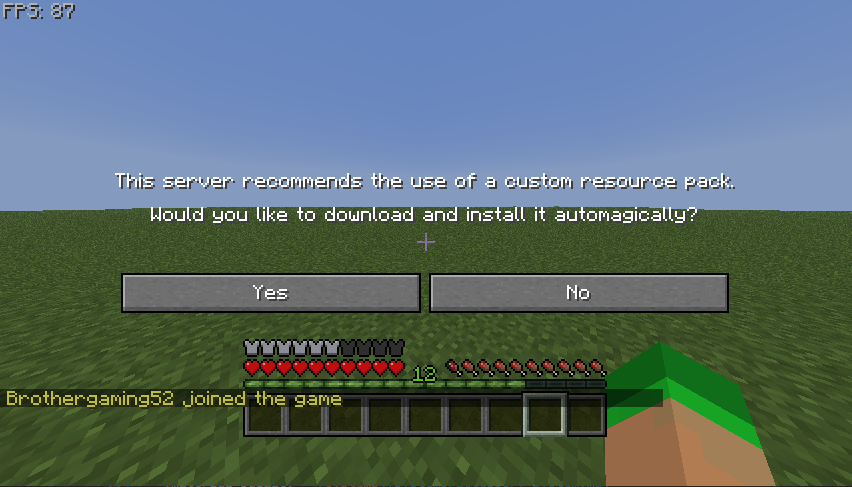
SELF) - When players join, they receive the resource pack URL (with cache-busting hash query parameter appended)
- The Minecraft client downloads and applies the pack
Port Configuration
| Scenario | Recommended Port |
|---|---|
| Dedicated server | 8080 or any open port |
| Shared hosting | Check available ports with your host |
| Local testing | 8080 |
Never use the game port
The resource pack port must be different from your Minecraft server port (default: 25565). Using the same port will break both services.
Firewall Rules
Ensure the resource pack port is accessible:
Server Info
View the current resource pack server status:
This shows:
- Pack file path and size
- SHA-1 hash
- Number of registered namespaces
- Conflict count
Registering External Assets
Other plugins can add their assets to the generated resource pack:
CuriosPaperAPI api = CuriosPaper.getInstance().getCuriosPaperAPI();
api.registerResourcePackAssets(myPlugin, new File(getDataFolder(), "resourcepack"));
The folder should contain the standard assets/ directory structure:
resourcepack/
└── assets/
    └── myplugin/
        ├── models/
        │   └── item/
        │       └── my_item.json
        └── textures/
            └── item/
                └── my_item.png
Rebuilding
After adding new textures or modifying assets:
This regenerates the ZIP asynchronously, recalculates the hash, and pushes the new pack to all online players.
Geyser Bedrock Resource Pack Setup
For servers running GeyserMC to allow Bedrock Edition players to join, CuriosPaper extracts Bedrock assets into plugins/CuriosPaper/geyser/ on startup:
CuriosPaper_Geyser.zip: The Bedrock-compatible resource pack.CuriosPaper_mappings.json: Geyser custom item mappings.
Automatic Copy
If Geyser is running on the same server instance, CuriosPaper automatically copies these files into Geyser's packs/ and custom_mappings/ folders.
Manual Setup (Velocity / BungeeCord Proxy Setup)
If Geyser is hosted on a proxy:
1. Copy CuriosPaper_Geyser.zip to your proxy's Geyser packs/ directory.
2. Copy CuriosPaper_mappings.json to your proxy's Geyser custom_mappings/ directory.
3. Ensure enable-custom-content: true is set in Geyser's config.yml and restart Geyser.
See Bedrock Support for full documentation.