Commands
CuriosPaper adds three commands to your server. All commands support tab completion.
CuriosPaper provides three main commands for players and administrators.
Player Commands
/baubles
Opens the accessory inventory GUI.
| Aliases | /b, /bbag |
| Permission | None (all players) |
| Usage | /baubles |
| Player Only | Yes |
Admin Commands
/curios
Administrative and debug commands for CuriosPaper.
| Aliases | /cp, /curiospaper |
| Permission | curiospaper.admin |
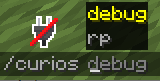
| Usage | /curios <rp\|debug> |
Resource Pack Subcommands
| Command | Description |
|---|---|
/curios rp info |
Display resource pack status, file size, hash, namespaces, and conflicts |
/curios rp rebuild |
Regenerate the resource pack and re-send it to all online players |
/curios rp conflicts |
List all file and namespace conflicts from the last build |
GUI Customization Subcommands
| Command | Description |
|---|---|
/curios editmenu |
Opens a GUI to rearrange accessory slots in the main (Tier 1) menu. Changes are saved to config.yml. |
Debug Subcommands
| Command | Permission | Description |
|---|---|---|
/curios debug player <name> |
curiospaper.debug |
Inspect a player's equipped accessories, PDC data, and slot info |
/curios debug item |
curiospaper.debug |
Inspect the held item's accessory tag, slot type, and PDC keys |
/edit
Create and manage custom items using the in-game editor.
| Aliases | /itemedit |
| Permission | curiospaper.edit |
| Requires | features.item-editor.enabled: true in config |
| Command | Description |
|---|---|
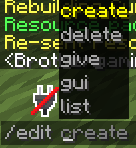
/edit create <itemId> |
Create a new custom item and open the Edit GUI |
/edit gui <itemId> |
Open the Edit GUI for an existing item |
/edit delete <itemId> |
Delete a custom item |
/edit list |
List all custom items |
/edit give <itemId> [player] [amount] |
Give a custom item to a player |
Tab Completion
All commands support tab completion for subcommands, item IDs, and player names.